
You've seen the term in a vendor pitch, a LinkedIn post, or a Budget speech: agentic AI. Most explanations come in two flavours — marketing copy that promises it will transform everything, and computer science that requires a diagram to follow. This guide is neither. By the end you'll know what agentic AI actually is, how it differs from the ChatGPT you've already tried, what it costs in practice, and how to tell whether any of it applies to your business.
The short version: agentic AI is software that pursues a goal on its own. It plans the steps, uses your existing tools to carry them out, checks its own work, and keeps going until the job is done — without a human prompting each move.
The difference between asking and delegating
ChatGPT and tools like it are generative AI: you ask, it answers, and then it forgets you. It's a brilliant consultant you have to interview — every output requires your question, your copy-paste, your follow-through. You are still the engine; it just makes the engine faster.
Agentic AI flips that relationship from asking to delegating. Instead of a question, you give it a goal, access to your tools, and permission to act within limits — the way you'd brief a new hire.
The difference shows up in something as small as a follow-up email. Ask ChatGPT to "draft a follow-up email" and you get a perfectly good draft — which you then personalise, send, and log in your CRM yourself. An AI agent, by contrast, notices on its own that a lead has gone quiet for four days, drafts the follow-up in your tone with the context of the previous conversation, sends it, and logs the activity — and only taps a human on the shoulder when something unusual happens.
Same AI underneath. The difference is goals, tools, and permission to act.

What an agent actually does all day
Strip away the jargon and an AI agent runs a loop. Take a job most business owners know too well — chasing overdue invoices:
- Trigger. An invoice crosses 30 days overdue. The agent notices, because it's watching the accounting system.
- Plan. It checks the customer's history. A reliable client who's never been late gets a gentle nudge; a repeat offender gets a firmer note and a flag.
- Act. It sends the reminder through your accounting platform and posts a summary to your team's Slack channel.
- Check. A week later it verifies whether payment arrived. If yes, the loop closes quietly. If not, it escalates — at day 45, a human decides whether to call.
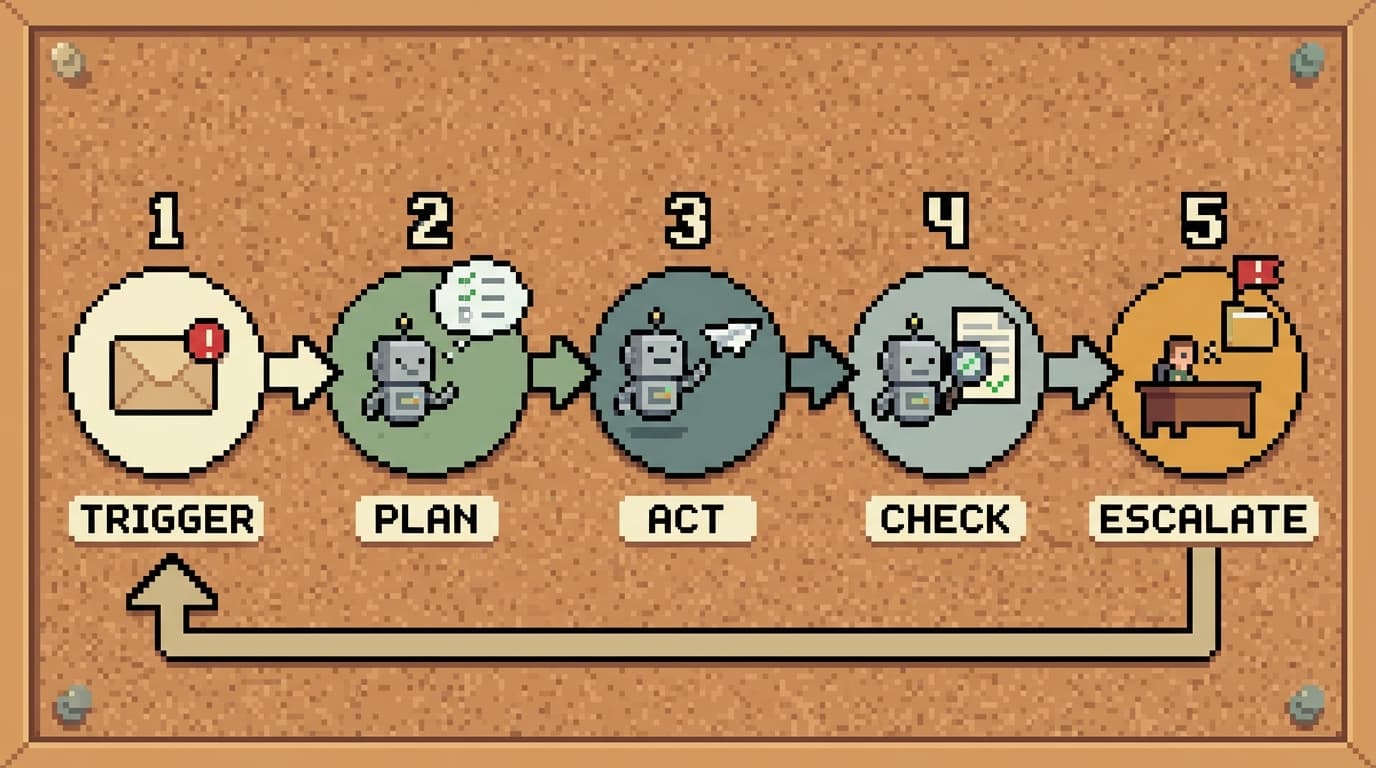
Two things make this different from a reminder rule in your accounting software. First, the judgment in the middle: the agent reads context and adjusts, rather than firing the same template at everyone. Second, where the human sits — at the escalation points, not inside the loop. You stop being the engine and become the manager.
Five jobs agents are already doing
Lead research and CRM enrichment. When we built a lead-enrichment agent for UK-based Agency Hackers, their sales team was spending hours researching each prospect across websites and LinkedIn. The agent now does that research the moment a lead arrives, scores it against their ideal customer profile, and writes everything back into HubSpot. Manual research time dropped by about 60%.
Invoice chasing. The loop described above — watching receivables, sending context-aware reminders, escalating only the cases that need a human conversation.
Support triage. An agent reads every incoming ticket, resolves the routine ones, drafts responses for the rest, and escalates the genuinely complex cases with a summary of what it already checked — so your team starts from context instead of zero.
The Monday-morning report. Instead of someone assembling numbers from three systems into a slide every week, an agent pulls the data, writes the summary, flags the anomalies, and has it waiting before anyone logs in.
Content and marketing operations — including this article. This post began with an AI agent connected to our Google Ads, Search Console, and Analytics accounts. It pulled keyword data to find what Singapore businesses actually search for, checked what our site already ranks for, and drafted this article to fit the gap — with a human reviewing and approving before anything was published. The strategy is human; the legwork largely isn't.
These map to patterns we see across sales, finance, customer service, HR, and operations — the common thread is repetitive digital work that previously needed a person because it required some judgment, just not much.
"Isn't this just automation?"
Fair question — businesses have had automation tools for years, and if you're using Zapier or rules in your CRM, you might wonder what's new.
Traditional automation follows rules: when X happens, do Y. It's excellent plumbing, and it breaks the moment reality deviates from the rule. The invoice arrives as a PDF scan instead of a clean entry. The customer email doesn't contain the order number where it's supposed to be. The rule fails, silently or loudly, and a human untangles it.
Agents handle the deviation. They read the messy PDF, work out the order number from context, and make the small judgment calls that used to require a person between the rules. Rules move data; agents exercise judgment about it.
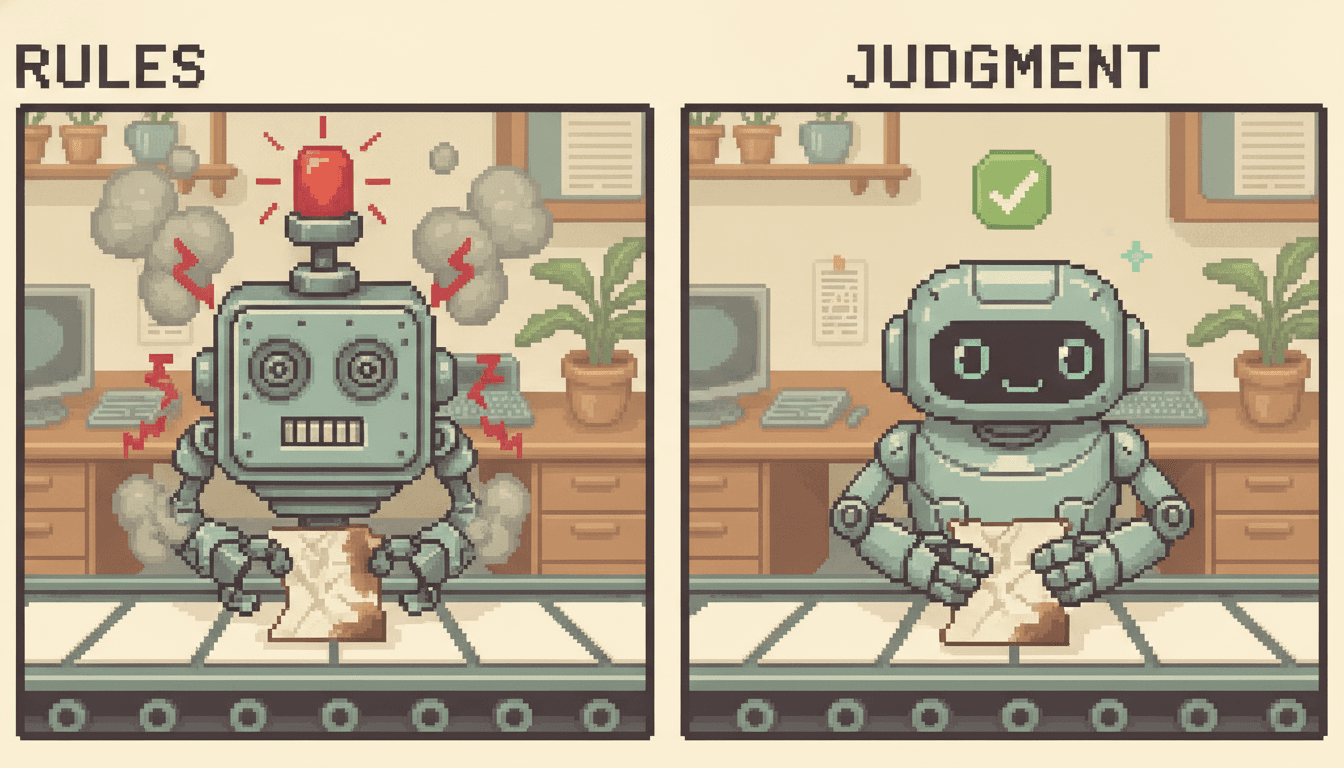
The honest caveat: if your workflow genuinely never deviates — same format, same steps, every time — you don't need an agent. A simple automation is cheaper and easier to maintain. Agentic AI earns its keep precisely where rigid rules keep breaking.
Why the sudden push — and why Singapore in particular
The underlying models crossed a threshold in the last couple of years: they became reliable enough to act, not just write. Tooling matured around them — secure ways to connect AI to business systems, monitor what it does, and constrain what it's allowed to touch.
Singapore's government has noticed. Under the National AI Strategy 2.0, Budget 2026 introduced a National AI Impact Programme aiming to build AI capability in up to 10,000 enterprises and help 100,000 workers use AI in their roles, alongside an expanded Productivity Solutions Grant that lowers the cost for SMEs adopting AI solutions. The explicit goal is productivity: AI taking over routine tasks so people spend their time on higher-value work. Whatever you think of government tech pushes, the practical effect is that adopting this technology is getting cheaper and better-supported for Singapore businesses than it has ever been.
What it costs, honestly
There's no honest single number, because the cost depends on scope — how many systems the agent touches, how much judgment the work requires, and how serious the consequences of a mistake are. A focused agent that does one job in one system is a few weeks of work; an agent that spans your CRM, accounting platform, and communication tools is a bigger build.
Budget for two kinds of cost, not one. The build — design, integration, testing, and the guardrails discussed below. And the running costs — AI models charge per use, so an agent processing thousands of items a month has an ongoing API bill, typically modest relative to the hours saved, but real and worth forecasting before you start.
The better financial question is the baseline: how many hours a week does the work currently consume, and what does that cost you in salary and in the things those people aren't doing? Workflows that burn ten or more hours a week of someone's time tend to justify an agent comfortably. A task that takes twenty minutes a month does not — and a vendor who tells you otherwise is selling, not advising.
The risks nobody puts in the sales deck
AI models can be confidently wrong. An agent that acts on a wrong conclusion is worse than a chatbot that merely says one, so deployment discipline matters more than model choice:
- Scoped permissions. The agent gets access only to the systems and actions its job requires — and that access can be revoked in one click.
- Approval gates. Irreversible or sensitive actions stay with humans. The agent drafts the refund; a person approves it. It recommends the discount; it doesn't grant one.
- Audit logs. Every action recorded, so you can always answer "why did it do that?"
- Monitoring. Error rates and odd behaviour watched continuously, not discovered in a quarter-end surprise.
The pattern across failed deployments is rarely that the technology wasn't ready — it's that someone gave an unsupervised system too much permission too early. Start narrow, supervise, widen as trust is earned. The same way you'd onboard a person.
How to pick your first agent project
A first project succeeds when the workflow is:
- Repetitive and digital. It happens weekly or daily, inside software.
- Describable. You could write instructions for a new hire in a page. If you can't describe it, an agent can't do it.
- Measurable. You know roughly how many hours it consumes now, so you'll know whether the agent paid off.
- Survivable. An occasional mistake is catchable and correctable — invoice reminders, yes; medical advice, no.
Then start with one workflow. The companies that get value from agentic AI automate a process, measure it, and expand. The ones that get burned try to "transform the business" in a quarter.
Quick answers
Is ChatGPT agentic AI? No — ChatGPT is generative AI: it produces answers when you prompt it. It becomes part of an agentic system only when it's connected to tools and given a goal to pursue without per-step prompting.
What's the difference between an AI agent and agentic AI? Essentially packaging. An AI agent is one deployed worker — an invoice-chasing agent, a triage agent. Agentic AI is the category of technology those workers are built from. You buy agents; you read think-pieces about agentic AI.
Do I need technical staff to use AI agents? Not to use them. Building and integrating agents is technical work, but a well-deployed agent is operated by the people who own the workflow — the same people who'd train a new hire to do it.
Is agentic AI only for large companies? The economics actually favour smaller ones. A 20-person company where one person spends two days a week on manual data work feels the cost more sharply than a corporation with a department for it — and has fewer approval layers between deciding and deploying.
If you're wondering which of your own workflows fit the checklist above, that's a conversation we have every week — usually in 30 minutes, and the honest answer is sometimes "you don't need an agent yet." Book a free consultation or read more about how we work.